How it works
Every game on PumpStation has its own coin on pump.fun. To play, hold the game's coin; browser games let you try them for free first. Made a game? Publish it and its coin launches with it.
Browser games or PC games?
Two kinds of games, one rule: every game has its own coin on pump.fun, and you hold the coin to play.
- Light games that start right on their page.
- Nothing to install, and they work on phones too.
- Each one runs isolated in your browser.
- Big games, up to hundreds of GB, that use the full power of your computer.
- You download and start them with the PumpStation launcher on Windows.
- Each one runs under a separate, limited Windows account.
| Browser games | PC games | |
|---|---|---|
| Starts | Right on the game's page | From the PumpStation launcher |
| Install | Nothing to install | Download once, then play |
| Devices | Any device, phones included | Windows PCs |
| Size | Light games | Big games, up to hundreds of GB |
| Runs | Isolated in your browser | Under a separate, limited Windows account |
| Before you hold | A free trial, if the developer set one | Nothing: hold the coin to download |
| Coin | One game, one coin on pump.fun. Hold it to play. | |
What PumpStation is
- One game, one coinWhen a game is published, its coin launches on pump.fun, with the game's developer as the coin's creator.
- Hold to playTo play, hold at least the amount of the game's coin its developer chose. Playing spends nothing: you keep your coins.
- Fees to the developerThe coin's creator fees are split on-chain by pump.fun: 60% to the developer, 40% to PumpStation.
Play in the browser
- Open a game and play. The free trial runs on this device and counts only the time you actually play. The developer chooses its length, from none up to 60 minutes.
- When the trial ends, connect your wallet. It's a signature, not a transaction: it moves no funds. One connection works for the whole site.
- Hold the game's coin. The page shows the minimum the developer set and how much you hold. Enough? You play.
- Not enough? Buy & Play. It buys what's missing on pump.fun in one transaction you sign in your wallet, after showing you the price: never more than 1 SOL, with at most 5% slippage.
- If you sell. Your hold is checked again every 2 minutes. Once you hold less than the minimum, the game stops at the next check.
A wallet plays one game session at a time: opening a game on another device moves the session there with a click. A hidden tab pauses the game.

Play PC games
- Download the launcher. It's for Windows.Download the launcher
- If Windows warns you, choose Run anyway. The installer isn't signed yet, so Windows may show “Windows protected your PC”. Click More info, then Run anyway.
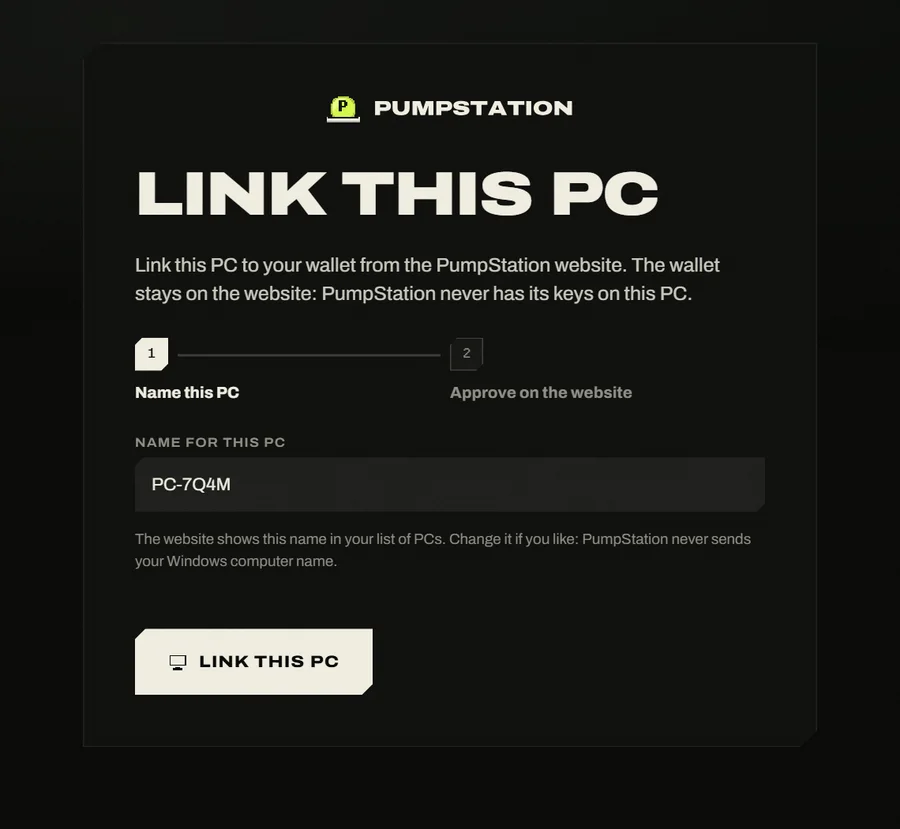
- Link this PC. In the launcher choose Link this PC: it shows a code. Here on the site open PC games, connect your wallet and type the code (it's valid for 10 minutes). Check the PC's name, then press Link this PC. Your wallet stays in the browser: the launcher never gets its keys.
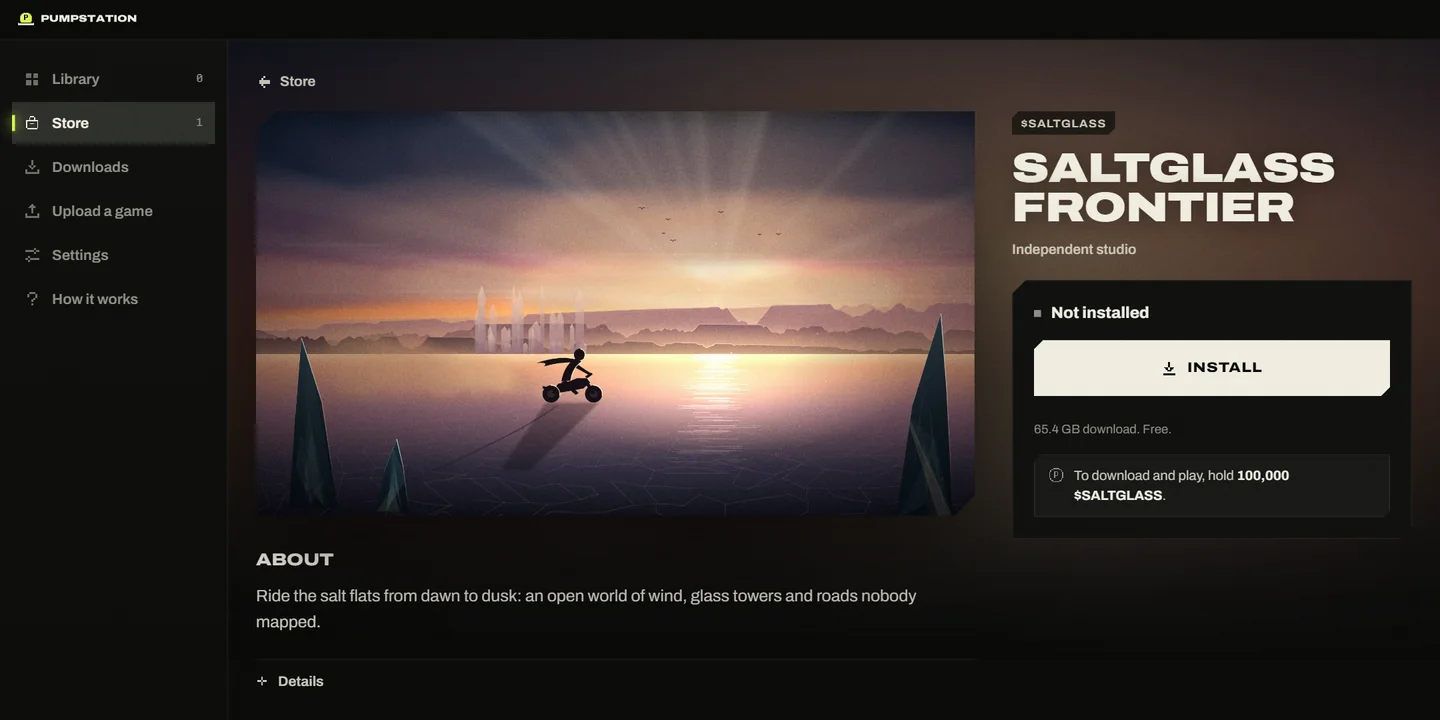
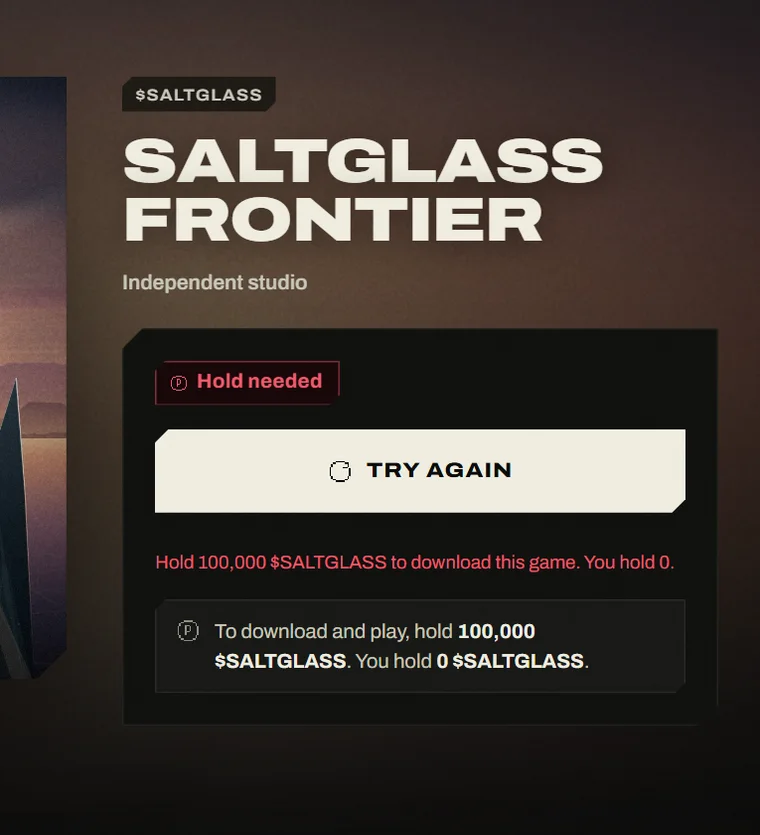
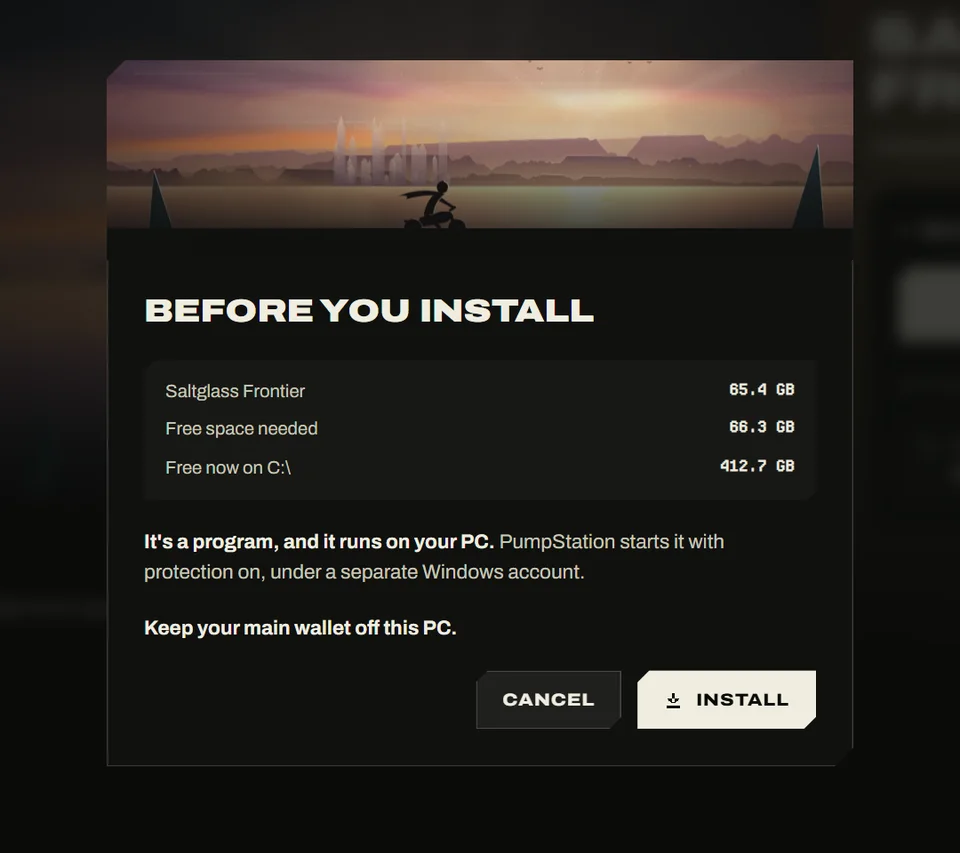
- Store, Install, Play. In the launcher's Store pick a game, press Install, then Play. To download a game and to play it you hold its coin: without the hold the launcher doesn't download the game and doesn't start it. Buy the coin on the game's page on the site.
- If you sell. The launcher checks your hold every 2 minutes. Once you hold less than the minimum, it warns you and closes the game after 2 minutes.

Publish a game
A browser game
- Drop your game on Create a coin. A .zip with an index.html inside, the build folder, a single .html file, pasted HTML, or a link to a GitHub repository or release. Up to 200 MB and 5,000 files. Phaser, Godot, Construct, GameMaker and plain HTML work; Unity WebGL is experimental; Ren'Py and LÖVE web builds aren't supported yet.
- Wait for the checks. File check, antivirus and code analysis, then a playable preview only you can see. A game that gets flagged waits for a manual review.
- Fill in the details. Only the name is required. Ticker, image (an automatic screenshot if you add none), description, links, the free trial, the hold to play (1,000,000 tokens unless you choose another amount, up to 10,000,000) and your dev buy are up to you. Tick “I own all rights to this game: code, art, music and name”.
- Launch coin. Your wallet signs one transaction: the launch price, 0.04 SOL; the network's rent and fees, about 0.016 SOL; your dev buy, if you set one. It creates the coin on pump.fun with you as its creator. Name, ticker, image, trial, hold and dev buy can't change after this.
- Your game goes public as soon as the launch is confirmed on Solana.
A PC game
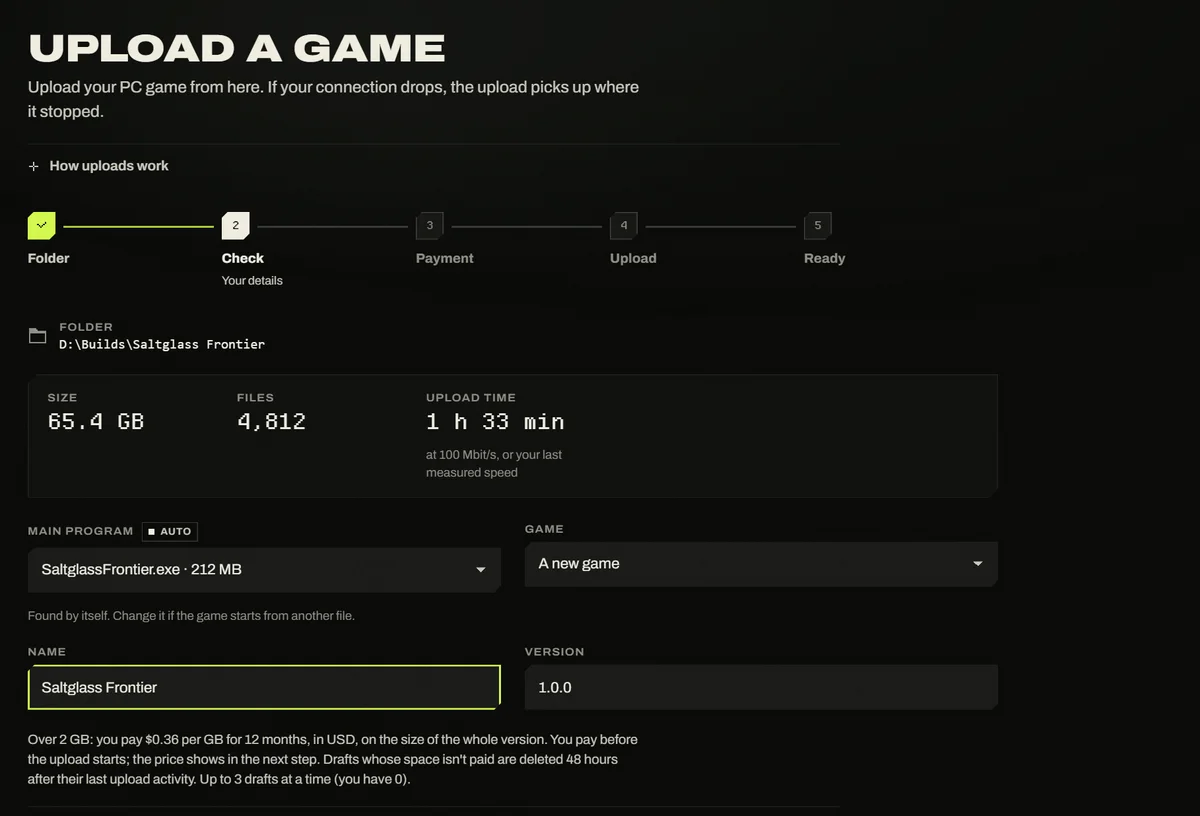
- In the launcher, choose Upload a game and pick the game's folder. The launcher finds the main .exe by itself; you can change it.
- Space for PC games. Up to 2 GB is free. A bigger game pays for its whole size, $0.36 per GB for 12 months, in SOL at the price of that moment, from the wallet the PC is linked to. When those months end, the game can't be downloaded until its space is paid again.
- The launcher uploads it. If your connection drops it picks up where it stopped; the site checks that every file arrived whole.
- Finish on the site, under PC games: the launcher's cover, the coin's details, then the same launch as a browser game, one transaction signed by your wallet. Once the coin is live, the game is in the launcher's Store.

Limits
- A PC game is a folder with an .exe that starts the game by itself. Games that need a publisher's launcher, online DRM or anti-cheat won't work.
- We don't review PC games. The site only checks that the files arrived whole. The launcher starts every game under a separate, limited Windows account, but a game is still a program running on your PC: keep your main wallet off the PC you play on.
- Browser games are checked before they go live and run in a sandbox on their own domain: they can't talk to other sites, to your wallet or to other games.
- No game will ever ask for your seed phrase or login. No PumpStation page, game or launcher asks for your seed phrase. If something does, close it.
FAQ
Do I need a wallet to try a game?
Not for a browser game's free trial; you connect a wallet when it ends. PC games need the hold before they download.
Does connecting my wallet cost anything?
No. It's a signature that proves the wallet is yours, not a transaction: it moves no funds.
Do I spend my coins when I play?
No. You only need to hold them. You can sell any time; the game stops at the next check.
Can I play on two devices at once?
No. A wallet plays a game in one place at a time.
Can a developer change the coin after launch?
No. Name, ticker, image, trial, hold and dev buy are fixed at launch, and so is the fee split.
Do PC games work on Mac or Linux?
No: the launcher is for Windows. Browser games work on any device, phones included.